



What is incident response automation?
Incident response automation uses AI and machine learning to detect, triage, and remediate security incidents faster than manual processes allow. Instead of waiting for analysts to manually correlate alerts and investigate threats, automated workflows trigger predefined response actions the moment suspicious activity is detected.
Cloud incidents can unfold in minutes, not hours. Attackers pivot through identity, data, and compute layers before most teams finish triaging their first alert. Automation closes this gap by executing detection, correlation, and containment steps in parallel, freeing analysts to focus on decisions that require human judgment.
AI-driven incident response can make life easier for cloud security teams and improve their response capabilities. According to IBM, businesses that use any form of AI or automation in cloud incident response cut down their mean time to identify (MTTI) and mean time to contain (MTTC) by 33%. Expedited and well-orchestrated incident detection and response delivers measurable improvements across these critical metrics.
How to Prepare for a Cloud Cyberattack: An Actionable Incident Response Plan Template
A quickstart guide to creating a robust incident response plan - designed specifically for companies with cloud-based deployments.

How does incident response automation work?
Response workflow automation covers the full incident lifecycle: discovery, investigation, containment, eradication, recovery, and post-incident documentation. Each phase can be partially or fully automated depending on the action type and your organization's risk tolerance. Some steps, like detection and triage, run continuously without analyst intervention, while others, like isolating a production workload, may require one-click approval before executing.
Timelines capture every action taken throughout the process, which supports compliance audits and helps meet strict regulatory deadlines like GDPR's 72-hour breach notification window.
Telemetry and data collection
Telemetry data is the foundation of incident response automation. Without visibility into cloud activity, runtime behavior, and identity events, automation has nothing to act on.
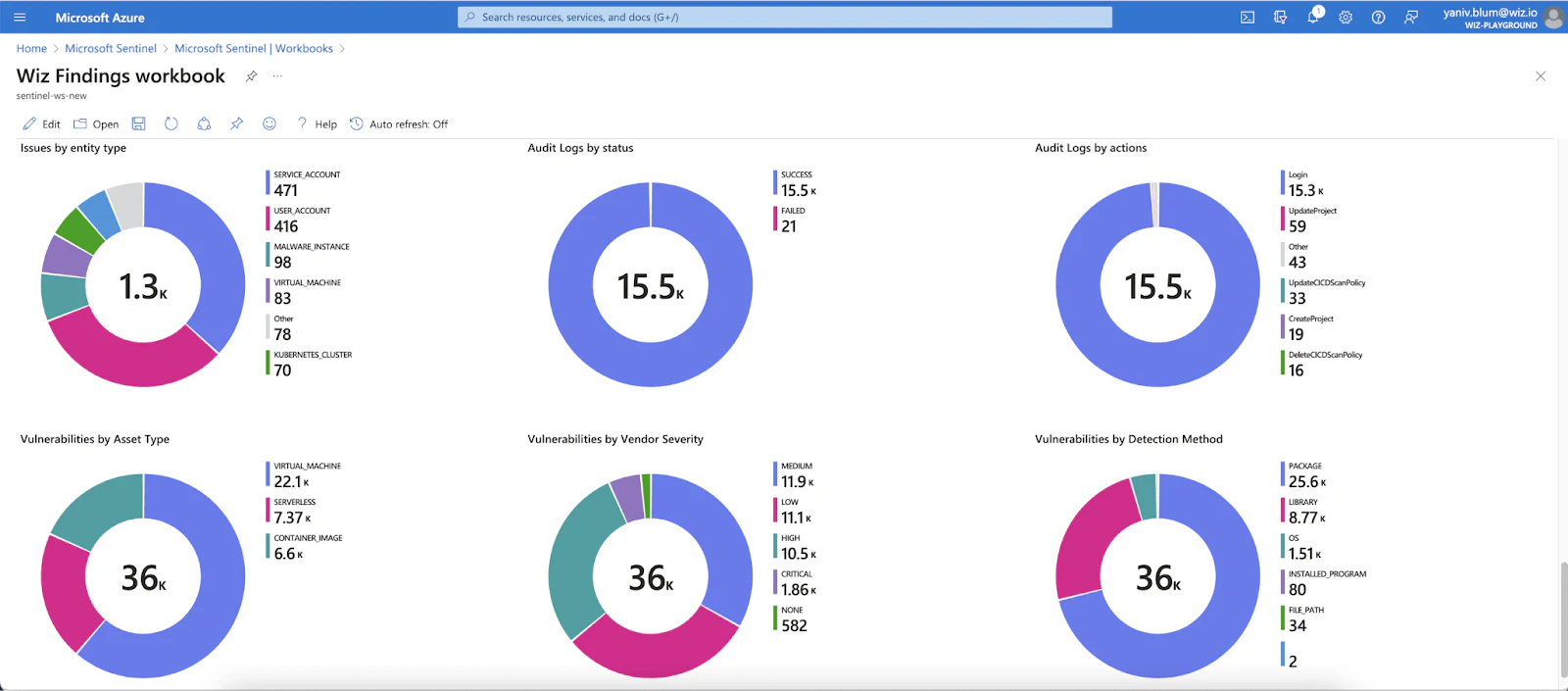
This data typically flows from cloud audit logs, runtime sensors, and identity providers into a SIEM for analysis. Integrating threat intelligence feeds adds external context, helping distinguish between known-bad indicators and novel attack patterns.
Rules, runbooks, and triggers
Automation requires clearly defined rules, baselines, and triggers to function. As NIST notes, static incident response documentation is no longer feasible to maintain, so runbooks must be codified and version-controlled. Without them, alerts fire but nothing meaningful happens downstream.
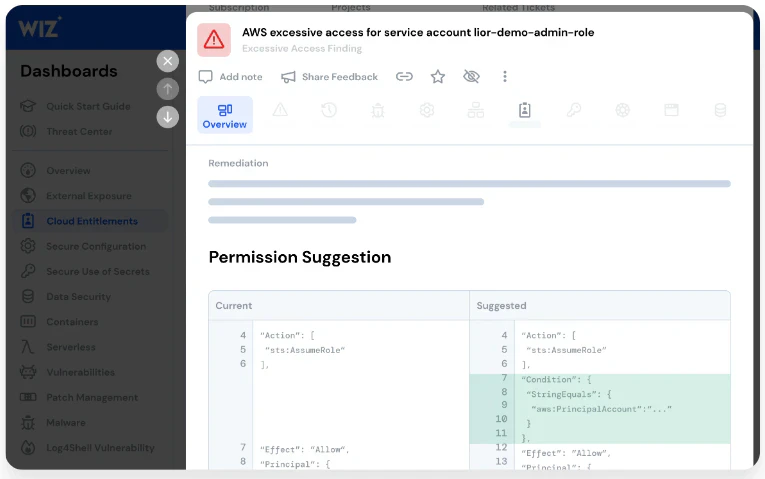
Well-designed runbooks reduce dwell time, the gap between when an attacker gains access and when your team contains the threat. For example, if Amazon GuardDuty detects a compromised S3 bucket, a runbook can automatically identify whether sensitive data is at risk, suggest blocking public access, and route the fix to the right team member for approval.
Triage
Traditional workflows require analysts to manually investigate every SIEM alert before deciding on next steps. When a detection rule fires, the system immediately enriches the alert with cloud context, assigns a severity score, and executes the appropriate playbook.
Analysts receive a prioritized incident with recommended actions rather than a raw alert requiring hours of manual correlation. High-severity incidents are escalated to senior responders or cross-functional teams, and each incident is logged as a structured case for tracking, handoff, and post-incident review.
Containment
Once an incident is confirmed, containment is about limiting the blast radius as fast as possible. This is where the difference between minutes and hours matters most.
Containment playbooks can execute a range of actions depending on the resource type and attack vector. In cloud environments, this often means modifying security group rules to isolate a compromised workload, revoking or rotating credentials for a hijacked identity, or triggering a failover to a secondary deployment in another availability zone while the primary environment is investigated.
The key advantage is speed without recklessness. Containment actions can be configured with approval gates: fully hands-off for well-understood, high-confidence scenarios and one-click approval for actions that carry greater operational risk, like taking a production service offline. This keeps humans in the loop where it matters without introducing the delays of a fully manual process.
Eradication
Containment stops the bleeding. Eradication removes the threat entirely.
Automation accelerates eradication by executing the remediation steps that would otherwise require engineers to work through manually: rolling back infrastructure-as-code templates to a known-good state, patching exploited vulnerabilities across affected resources, rotating compromised credentials at scale, and removing any malicious artifacts the attacker left behind.
In cloud-native environments, eradication can be as straightforward as redeploying a clean workload from a trusted image. Playbooks can orchestrate this end to end, tearing down the compromised resource, validating the clean replacement against your security baseline, and bringing it back online with minimal analyst involvement.
Communications and notifications
A security incident isn't just a technical problem. Stakeholders across the business need to know what's happening, and delays in communication erode trust.
Notification workflows ensure the right people are informed at the right time. When an incident crosses a severity threshold, alerts can trigger to your incident response team, escalate to leadership, notify your cloud service provider, and queue pre-drafted statements for your communications team to review and release.
For customer-facing incidents, templated updates can also be routed to support teams so they're equipped to handle inbound questions, rather than learning about the breach from social media at the same time as everyone else.
Evidence collection and forensics
For effective incident response, teams need immediate access to critical evidence and forensic information. This relies on tools like runtime sensors, cloud investigation and response automation (CIRA), identity detection and response (ITDR), and data detection and response (DDR).
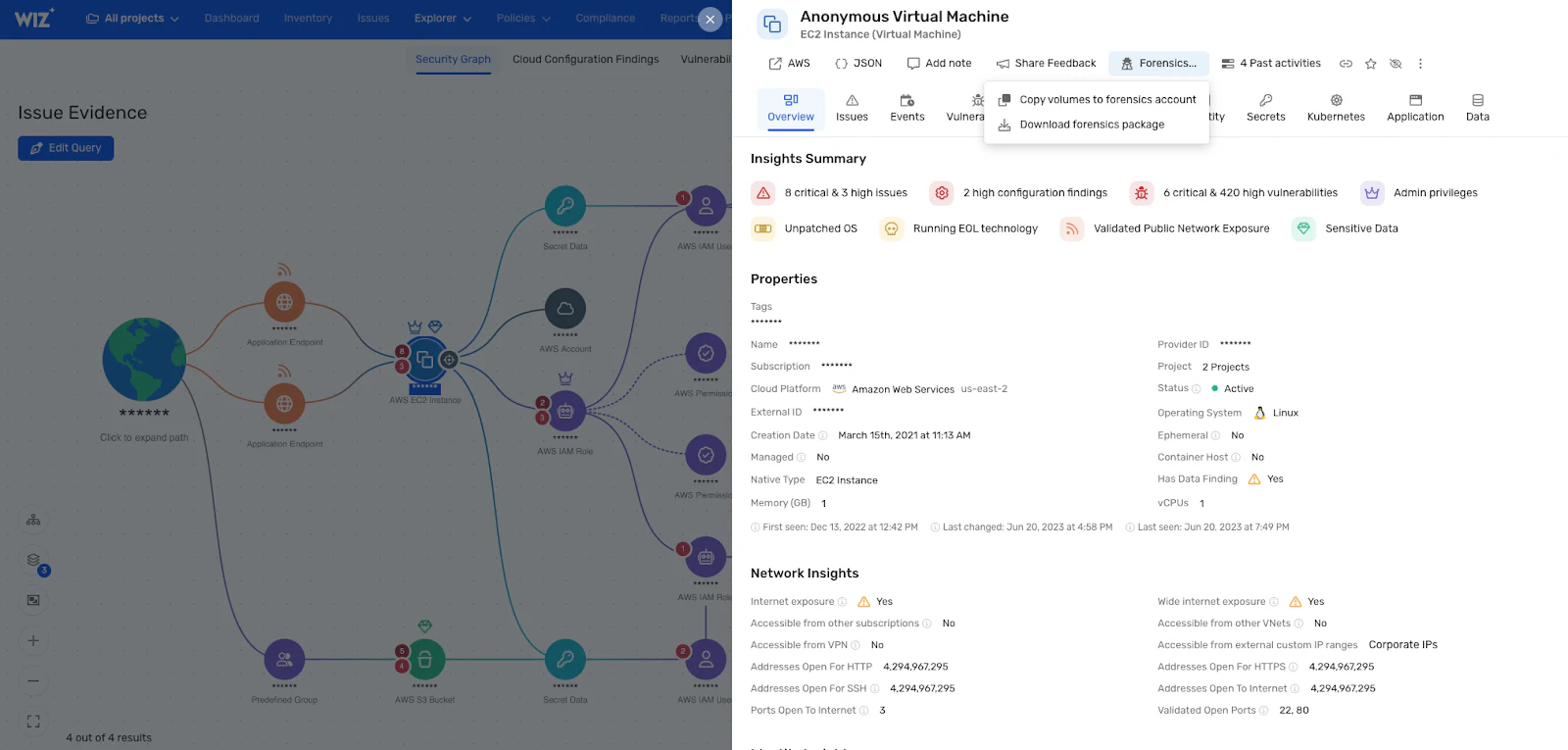
Cloud workloads are ephemeral. Containers terminate, serverless functions spin down, and evidence disappears before analysts can investigate. Playbooks solve this by capturing forensic snapshots the moment a detection fires. On AWS, for example, a playbook can create an EC2 disk image and preserve memory state, giving investigators a complete artifact to analyze even after the original instance is gone.
These capabilities ensure complete coverage across complex cloud estates, rapid access to incident data, and the provisioning of important evidence for security improvements, compliance audits, and future iterations of your runbooks.
What are the benefits of incident response automation?
Improved cyber resilience: Automation contains incidents before they escalate into breaches. By executing containment actions within minutes of detection, automated workflows limit blast radius and reduce the likelihood of data exfiltration or lateral movement.
Reduced dwell time:Every minute an attacker remains undetected increases the damage they can cause. Automation shortens dwell time by correlating signals and triggering response actions without waiting for manual triage, directly improving mean time to resolution (MTTR).
Fewer false positives: Alert fatigue undermines even well-staffed security programs. Automated triaging analyzes multiple cloud contexts to accurately assign incident priority, so responders focus on real threats rather than chasing noise.
Cost reduction: Automation eliminates redundant manual steps and reduces human error. Faster, more consistent incident handling translates directly into lower operational costs and fewer breach-related expenses, with fully deployed security AI and automation driving an average reduction of $3 million in data breach costs.
Enhanced productivity: When automation handles repetitive correlation and containment tasks, SecOps teams can focus on strategic work like threat hunting, detection engineering, and process improvement.
What to look for in an IR automation tool
Not all automation tools deliver the same value. When evaluating options, focus on these criteria:
Integration depth: The tool should connect with your existing SIEM, SOAR, and cloud provider APIs without requiring custom middleware.
Customizable playbooks: Look for low-code or no-code runbook builders that let your team modify response logic without engineering support.
Scalability: The solution must handle alert volume spikes and multi-cloud environments without performance degradation.
Reporting and analytics: Built-in dashboards for MTTA, MTTR, and compliance reporting help you measure automation ROI and identify gaps.
Cloud-native context: The most effective tools understand cloud-specific signals like identity permissions, control plane actions, and ephemeral workloads. Without this context, automation treats cloud incidents like traditional endpoint alerts and misses critical attack paths.
Cloud-native context is often the differentiator between tools that reduce noise and tools that simply move noise faster.
How Wiz Defend automates incident response workflows
Wiz Defend is the detection and response pillar of the Wiz platform, built on the Wiz Security Graph, a continuously updated model that maps every resource, identity, permission, vulnerability, network path, and data classification across multi-cloud environments. This foundation means every detection carries full context: who did it, what they could access, and what the blast radius would be.
The Blue Agent investigates every triggered threat the moment it fires. It correlates cloud audit logs, runtime signals, and identity context the way a trained incident responder would, then delivers a clear verdict with confidence level and full investigation summary. Specialized sub-agents deepen the analysis: a forensics agent examines scripts, binaries, and artifacts captured by the Wiz Sensor at detection time, while a code analysis agent correlates runtime activity back to source code, identifying related pull requests and code owners. This lets junior analysts handle complex cloud investigations without Tier 3 escalation.
Agentic Workflows then connect the Blue Agent's analysis to your operational processes. Teams define how automation and human approvals interact, auto-remediating high-confidence findings while routing lower-confidence verdicts to developers for review through Slack, Jira, or ServiceNow. The Green Agent drives remediation by tracing high-risk issues to their root cause and generating fix guidance mapped to the right owner. Together, these capabilities extend across AI workloads too, helping teams detect threats targeting model endpoints, training pipelines, and AI-connected data stores.
To see how it works in your environment, get a demo and start building faster, more confident incident response.
Cloud-Native Incident Response
Learn why security operations team rely on Wiz to help them proactively detect and respond to unfolding cloud threats.
